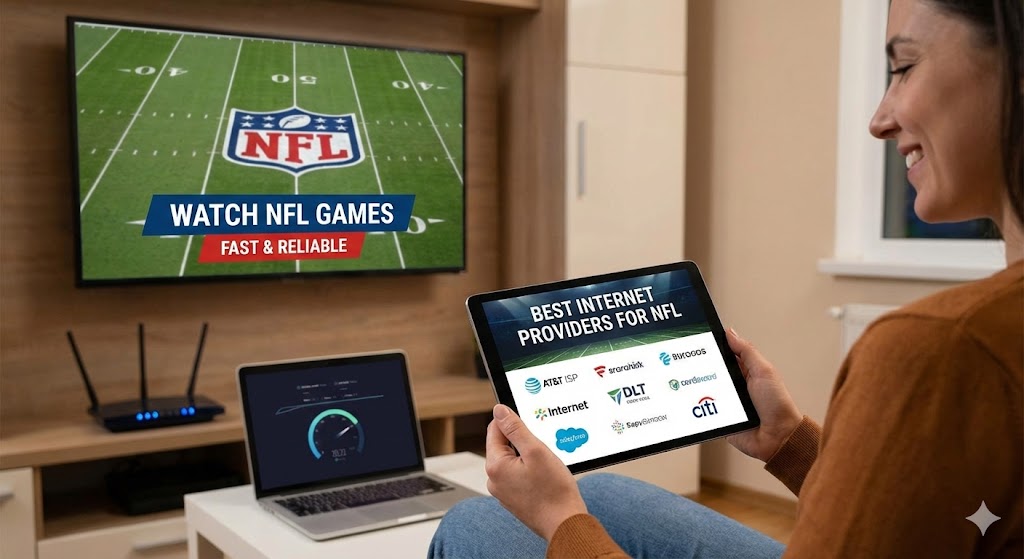
How to Watch NFL Games With the Best Internet Providers
How to Watch NFL Games With the Best Internet Providers is a crucial topic for fans who want smooth, high-quality streaming without interruptions. Watching football today requires more than just the right app or TV. Your internet connection plays a major role in how clearly and reliably every play appears on your screen. This guide explains how to choose the best internet provider, what speeds you need, and the settings that guarantee a flawless NFL streaming experience.
Why Your Internet Provider Matters for NFL Streaming
NFL games move fast. A slow or unstable connection can cause buffering, lag, pixelation, or sudden drops in quality — all of which can ruin the excitement of a live game. Choosing the right internet provider ensures a smooth stream, especially during high-demand moments like playoffs, rivalry games, and primetime matchups.
Good internet also helps:
- Load streams faster
- Support 4K or HD video
- Maintain stable audio
- Keep multiple devices running at once
A reliable connection is one of the biggest factors separating a perfect stream from a frustrating one.
1. Look for Providers With Strong Fiber or High-Speed Plans
Fiber internet is the most reliable option for streaming NFL games. It provides fast speeds, low latency, and stable connections, even when several devices are active.
Benefits of Fiber
- Symmetrical upload and download speeds
- Less signal interference
- Stronger streaming performance
- Excellent support for 4K and HDR
If fiber is not available in your area, a high-speed cable plan can still provide strong performance, as long as your provider has a stable network.
2. Choose the Right Speed for NFL Streaming
Speed requirements vary depending on the video quality you want. A slow plan may work for basic browsing but will struggle with live football.
Recommended Speeds
- HD streaming: At least 10–15 Mbps
- 4K streaming: At least 25–50 Mbps
- Multi-device homes: 100 Mbps or higher
Choosing a plan with higher speeds ensures smooth streams even when others in your house are using the internet at the same time.
3. Compare Provider Reliability in Your Area
Internet performance can vary by neighborhood. A provider that works well in one region may perform poorly in another. Before choosing a service, check local reviews, community groups, and coverage maps to see which provider has the best reputation where you live.
What to look for:
- Consistent uptime
- Strong customer service
- Good performance during peak hours
- Stable speeds
Reliability is often more important than the speed listed on the plan.
4. Use a Quality Router for Better NFL Streaming
Your router affects how well your internet performs. Even if your provider offers fast speeds, an old or weak router can limit your streaming quality.
Use a router with:
- Wi-Fi 6 or Wi-Fi 6E
- Dual-band or tri-band support
- Strong range
- Fast processing
Wi-Fi 6 routers can handle more devices at once and reduce lag. This is especially helpful during big games when multiple screens are active.
5. Improve Your Home Network Setup
A few simple adjustments can dramatically improve your NFL streaming experience.
Try these tips:
- Move your router to a central location
- Keep it away from walls, metal, and appliances
- Disconnect unused devices
- Restart your modem and router weekly
- Use Ethernet cables for TVs or streaming boxes
Wired connections are always the best choice for stability, especially when watching 4K NFL streams.
6. Choose Streaming Services That Match Your Internet Quality
Different apps perform better depending on your connection. If your internet is strong, choose apps that offer HD or 4K NFL broadcasts.
Good options include:
- YouTube TV
- Prime Video
- Fubo
- FOX Sports app (supports 4K on certain games)
If your connection is average, choose apps with adaptive streaming, which automatically adjust quality to match your speed.
7. Avoid Public Wi-Fi for NFL Games
Public networks — like cafés, airports, hotels, or malls — are not ideal for streaming football. They are slow, overloaded with users, and may expose your device to security risks.
Whenever possible, use:
- Your home network
- Your phone’s hotspot (if the connection is strong)
- A secure private Wi-Fi connection
This ensures safer and smoother NFL streaming.
8. Monitor Your Data Usage if You Stream on Mobile
Streaming NFL games uses a significant amount of data, especially in HD or 4K. If you use a mobile network, check your plan’s data limits.
Approximate data use:
- HD per hour: 1.5–3GB
- 4K per hour: 7–10GB
Unlimited data plans are ideal for NFL streaming on the go.
Conclusion
Understanding How to Watch NFL Games With the Best Internet Providers helps fans enjoy smooth, reliable, and high-quality football without interruptions. A strong provider, the right speed, a modern router, and smart network settings make a huge difference in streaming performance.
With the right setup, you can enjoy every touchdown, every play, and every moment of the season in clear, crisp video — no buffering, no lag, and no stress. Great streaming starts with great internet.